Keep the work
in view.

Code in the terminal. Open Chromium alongside it. Connect coding agents. Graffitty keeps the pieces of your project in the same workspace.

Download Graffitty

macOS

brew install --cask graffitty/tap/graffitty

Apple Silicon, macOS 12 or later. Requires Homebrew.

Linux

curl -fsSL https://graffitty.com/install.sh | sh

x86_64 or arm64. Installs for the current user under ~/.local; no root needed.

Windows

powershell -NoProfile -ExecutionPolicy Bypass -Command "irm https://graffitty.com/install.ps1 | iex"

x64 Windows 10 (1809+) or Windows 11. Installs for the current user.

Android

Get the APK on GitHub Releases

Download the APK from the latest GitHub release.

Read the documentation
Claude implements. Codex tests each build in Chromium and sends failures back.

Embedded Chromium

The page and the code, side by side.

Open a browser pane next to the terminal. Use the file tree to open text in Neovim and images, videos, or PDFs in Chromium.

The browser is part of the workspace, with APIs for agents to inspect and interact with pages.

Browser automation documentation →
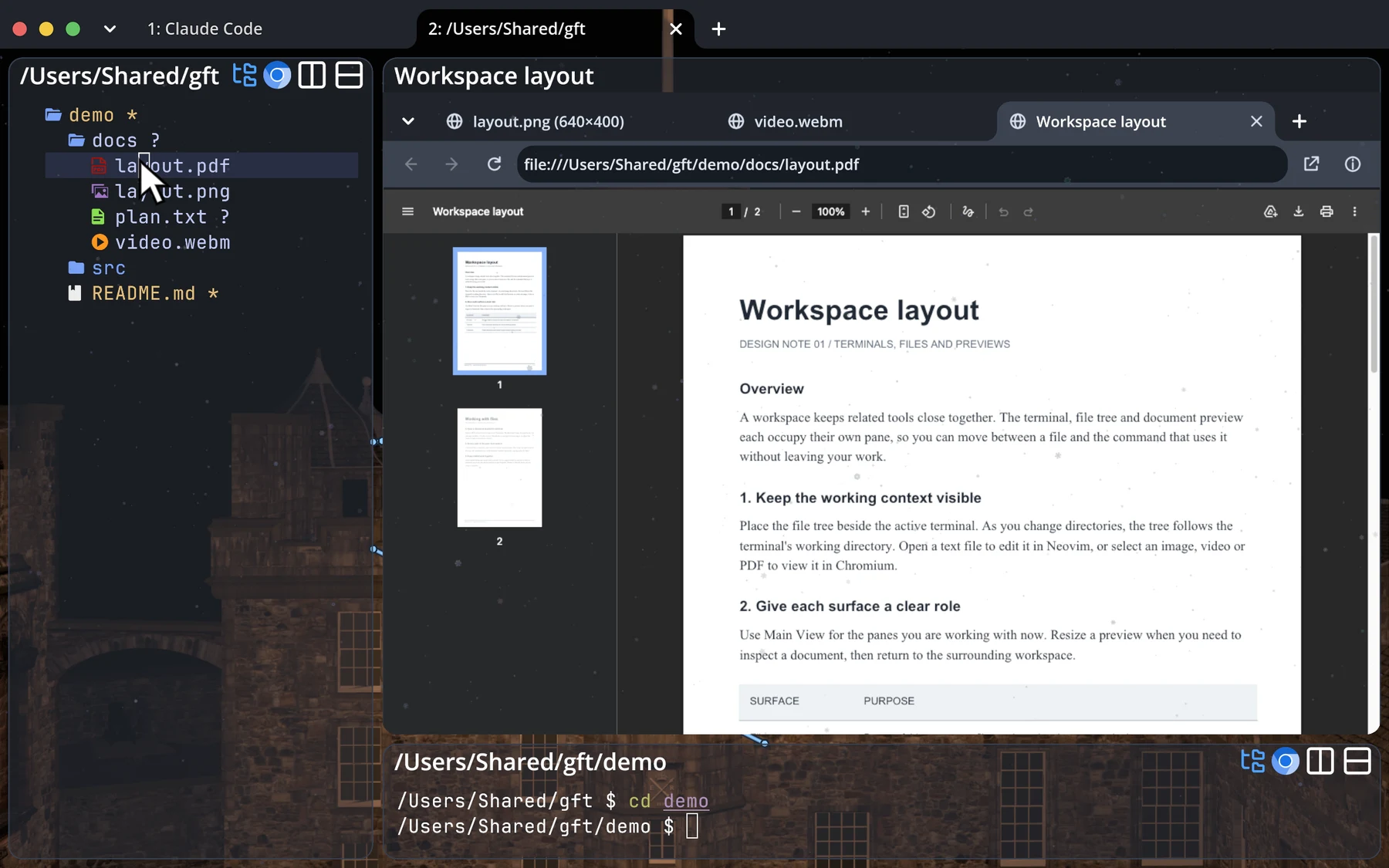
Graffitty displaying a PDF in embedded Chromium alongside the file tree and terminalView full size ↗
A PDF open in Chromium, next to its files and terminal.

Agent skills

Teach agent how to use Chromium and the graph protocol.

Graffitty includes its own instructions. Ask an agent to run one of these commands, and it prints the guide for the agent to read.

Agent setup →
Agents and the graph
gft skill graph
Chromium panes
gft skill chromium

Android/iOS

Check on your agents from your phone.

The mobile app connects to the computer running your sessions. Terminals and agents keep running there while you follow along.

Remote access documentation →
Codex, a Claude reviewer, and a Slack node, connected on Android.

Pluggable worlds

Design your own 3D background.

World authoring guide →
Nine sessions, each at its own place in the Bistro world.

Get Graffitty.

Download the app and open your first workspace.

macOS

brew install --cask graffitty/tap/graffitty

Apple Silicon, macOS 12 or later. Requires Homebrew.

Linux

curl -fsSL https://graffitty.com/install.sh | sh

x86_64 or arm64. Installs for the current user under ~/.local; no root needed.

Windows

powershell -NoProfile -ExecutionPolicy Bypass -Command "irm https://graffitty.com/install.ps1 | iex"

x64 Windows 10 (1809+) or Windows 11. Installs for the current user.

Android

Get the APK on GitHub Releases

Download the APK from the latest GitHub release.